Minecraft Village Finder: Locate Any Village With Your Seed
You spawned in the middle of nowhere. Night is closing in, your food bar is dropping, and there is not a single structure on the horizon. You need a village. You need beds, food, and a blacksmith chest if you are lucky. But walking blind across an infinite map is genuinely one of the most frustrating parts of early Minecraft.
This is why players search for a village finder Minecraft tool in the first place. Not because they are bad at the game. Because the map is infinite and time is limited. Our Minecraft village finder takes your seed, maps every village in your world, and hands you the exact X and Z coordinates. You go straight there. No detours, no wasted food, no dying in the dark.
This guide walks you through the full process, covers every village type, drops the best seeds for 2026, and answers the questions players ask most.
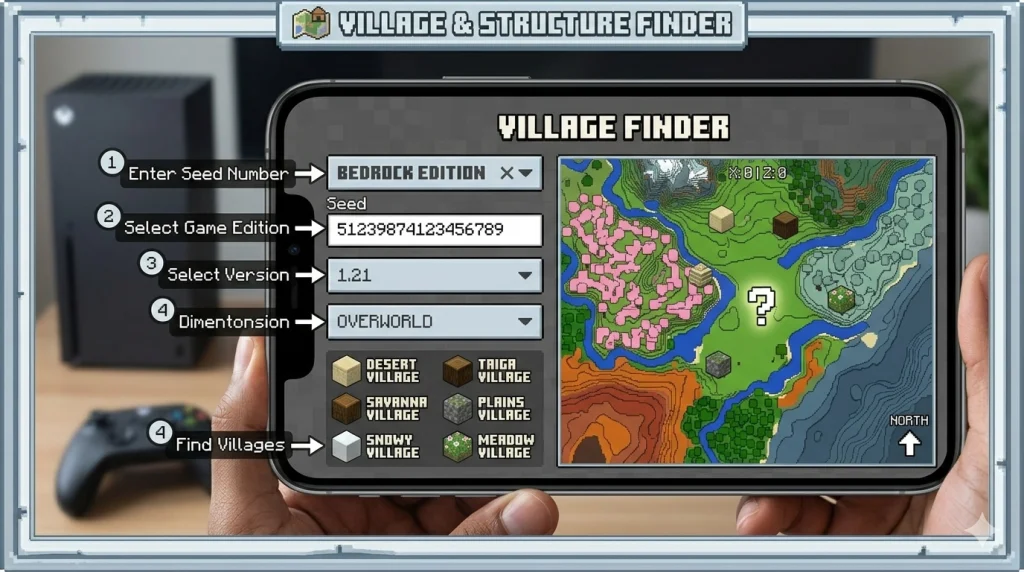
How to Use the Minecraft Village Finder
Getting your first set of coordinates takes under a minute. Here is exactly how it works.
Find your seed
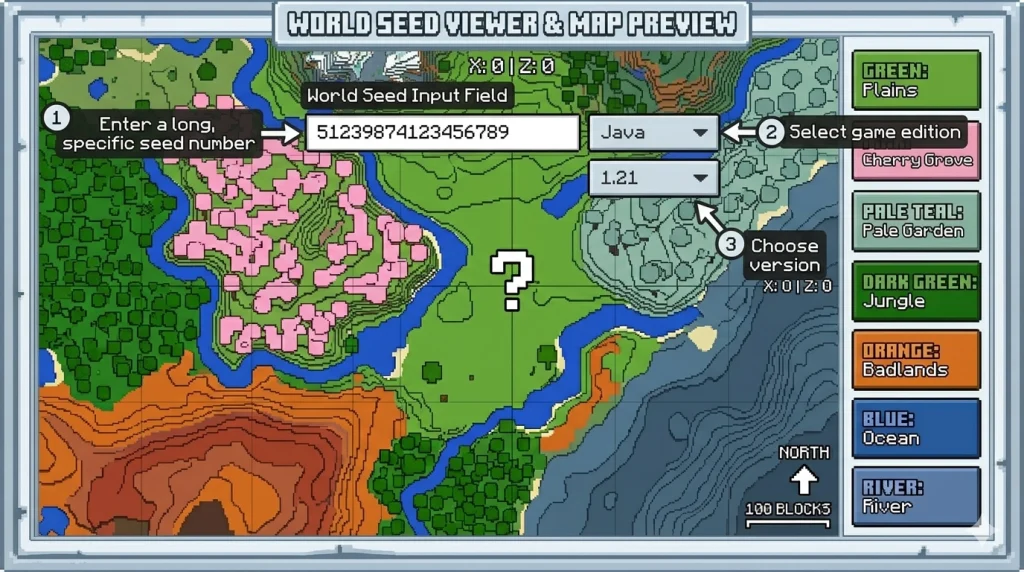
Open your Minecraft world and type /seed in the chat box. The game returns a long number. Copy every digit, including the negative sign if there is one. A single wrong digit gives you a completely different world.
Enter your seed and hit locate
The map populates instantly. Every village in your world appears as an icon with X and Z coordinates attached.
Navigate in-game
Press F3 on Java to see your live coordinates. Walk toward the X and Z values shown on the map. If cheats are on, use /teleport to jump there directly.
Select your edition
Pick Java or Bedrock from the dropdown. This is the most important step. Java and Bedrock use different world generation algorithms, so the same seed number produces totally different results on each platform. Choosing the wrong one means the coordinates will not match your actual world.
Choose your version
Select the Minecraft version that was active when you first created your world. If you updated after building for a while, use the older version for chunks you already explored. New chunks load under the newer version. Our [Minecraft Seed Map] lets you see the full picture if you want to plan before you travel.
One thing that players miss is if you are on a server and cannot run /seed, ask the server owner. They have access to the config files. Without the seed, the tool cannot generate an accurate map.
Every Village Type in Minecraft
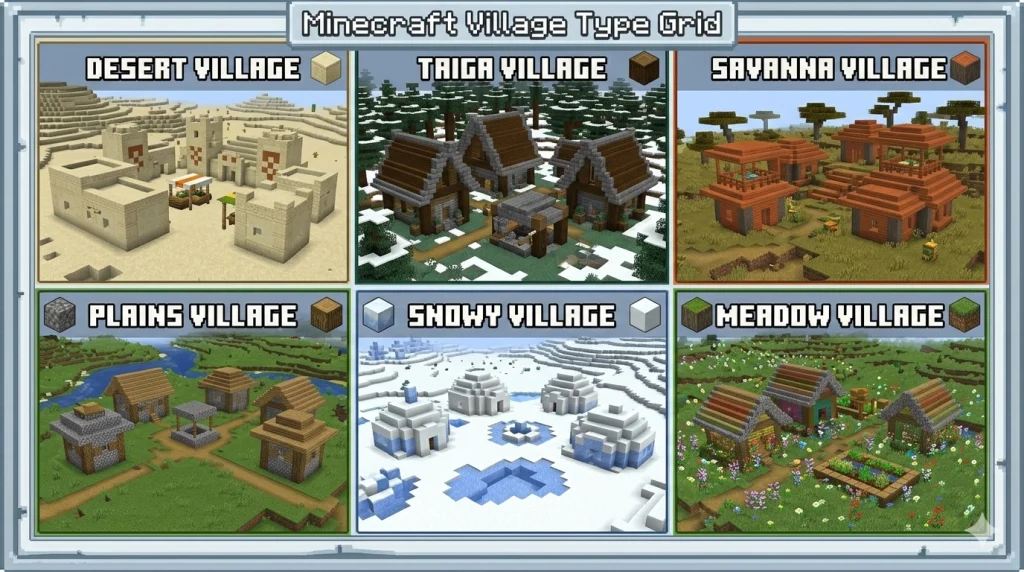
Villages do not look the same across all biomes. The architecture, building materials, and crop types change based on the biome they generate in. Knowing which village type you are hunting helps you pick the right seed or plan the right route.
Village Type | Biome | Building Material | Notable Feature | Java | Bedrock |
Plains | Plains | Oak wood, cobblestone | Most common, often has a blacksmith | Yes | Yes |
Desert | Desert | Sandstone, cut sandstone | No grass, trades focused on gold | Yes | Yes |
Savanna | Savanna | Acacia wood | Open layout, frequent spawn rate | Yes | Yes |
Taiga | Taiga | Spruce wood | Cozy builds, mossy details | Yes | Yes |
Snowy | Snowy Plains | Spruce, packed ice | Rare, snow-covered rooftops | Yes | Yes |
Meadow | Meadow | Spruce, flowers | Added in 1.18, elevated terrain | Yes | Yes |
Plains villages are the most useful for new players because they generate frequently and almost always include a blacksmith. Desert villages look great and have strong traders, but they lack doors on buildings, which means villagers wander more at night and zombie siege events hit harder. Snowy villages are the rarest of the six. If you want one near spawn, use a verified seed rather than hoping one generates naturally close by.
How to Find a Village in Minecraft Bedrock Edition
Finding villages in Minecraft Bedrock works differently from Java, and this trips players up constantly. The world generation algorithm on Bedrock is different from that in Java. Enter the same seed on both platforms, and you get two completely different worlds.
Our Minecraft Bedrock village finder setting handles this correctly. Select Bedrock from the edition dropdown before entering your seed. The tool supports Bedrock versions from 1.16 through 1.21 and beyond.
A few Bedrock-specific notes worth knowing. The /locate command works on Bedrock, but the syntax is slightly different. Type /locate village rather than /locate structure village. It returns the nearest village from your position, but only if cheats or operator permissions are active. On console editions, host privileges control access to commands.
Behavior packs and marketplace add-ons that change world generation will break the tool output. The finder only works with unmodified vanilla generation. If you have add-ons active, the village locations on the map may not match your world. Disable them or test with a clean world to verify.
For a broader look at your Bedrock world before you start traveling, the Biome Finder helps you confirm which biomes sit near your target village. Plains and savanna villages sometimes border deserts or jungles, which changes what resources you can gather on the way.
Best Village Seeds for Minecraft in 2026
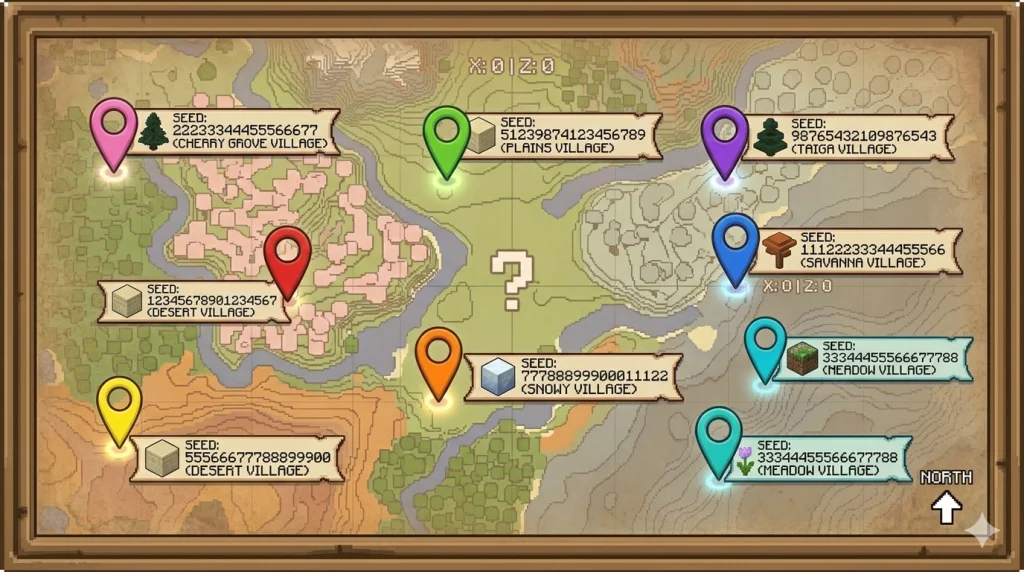
Starting fresh and already know what kind of village you want? These seeds were checked for the versions listed and place a strong village within a short walk from spawn.
Seed | Village Type | Distance From Spawn | Edition | Notes |
2980543205524870072 | Plains + Meadow | ~300 blocks | Java 1.21+ | Plains village with meadow village nearby |
-1654510255290728653 | Savanna | ~150 blocks | Java 1.20+ | Large savanna village, blacksmith present |
8472615903847261038 | Desert | ~200 blocks | Bedrock 1.21+ | Desert village with exposed chest loot |
4837592016472819030 | Snowy | ~500 blocks | Java 1.20+ | Rare snowy village, frozen terrain nearby |
7632474813256853247 | Plains cluster | ~400 blocks | Java 1.21.4+ | Three villages within 600 blocks of each other |
3257840071775390199 | Taiga | ~250 blocks | Java 1.20+ | Spruce taiga village near mushroom coast |
5519863748203156472 | Meadow | ~350 blocks | Java 1.18+ | Elevated meadow village, mountain views |
1234567890123456789 | Savanna | ~180 blocks | Bedrock 1.20+ | Savanna village next to an acacia forest |
Paste any seed directly into the tool above and preview the entire map before committing to that world. Always match the seed to the exact version shown. A seed verified on 1.21.5 may generate differently on 1.20 because world generation changed between those updates.
Use the Minecraft Seed Map to plan your full session once you pick a seed. You can see biome distribution, structure locations, and travel distances all in one view before you ever load into the game.
What Loot Can You Find in a Village
Villages are valuable far beyond just having villagers to trade with. The loot chests sitting inside structures give you a genuine head start, especially in a fresh survival world.
Blacksmith Chest
- Iron ingots, gold ingots, obsidian, iron armor, iron tools, and occasionally diamonds
- Not every village has one. Desert villages skip it more often than other types
Library Chest
- Enchanted books, including Mending, Fortune, and Silk Touch
- Paper and compasses
Church Chest
- Rotten Flesh (most common)
- Golden apples at low probability
House Chest
- Food items, seeds, and basic farming supplies
Use the Dungeon Finder once you set up a base in a village. Caves beneath villages frequently contain spawner dungeons within a few dozen blocks underground, and farming those early gives you a reliable XP and loot source before you ever reach the Nether.
Finding Other Structures Near Your Village
Once you have your village coordinates, the next logical step is building out from there. Villages do not exist in isolation and the structures nearby often determine how useful your base location actually is.
- The Stronghold Finder helps you position your village base strategically. If the nearest stronghold sits a few hundred blocks away, you can build your entire Ender Dragon preparation from a single settled location.
- The Nether Fortress Finder works the same way for your nether trip. Plan the portal location from your village before you ever light flint and steel.
- If you found a village on the edge of a deep dark biome, run that seed through the Ancient City Finder immediately. Ancient cities sit directly beneath deep dark terrain and contain the best loot in the game, including the Swift Sneak enchantment found nowhere else.
- For players who want to expand into a full base network, the Mansion Finder shows woodland mansion locations relative to your village. Mansions generate in dark forests and occasionally spawn uncomfortably close to plains villages.
- The Slime Finder is worth running if you plan to build redstone machines. Villages on flat plains biomes often sit above slime chunk clusters, which makes them ideal spots for a ground-level slime farm.
- The Mineshaft Finder pairs well with this since mineshafts frequently intersect slime chunks underground and villages built over ravines often have one nearby.
Troubleshooting: Village Not Showing Up in Game
The tool gave you coordinates and the village is not there. Before assuming the tool is wrong, check these four things in order.
Wrong edition
This causes the majority of mismatches. Java and Bedrock are not interchangeable. If you picked Java but play on Bedrock, every coordinate is wrong.
Seed entry error
A space before or after the seed number reads as a different seed entirely. Copy and paste the number rather than typing it manually.
Wrong version
The version you select must match the version that generated those specific chunks, not your current game version. If you built your world on 1.19 and updated to 1.21, the old chunks still carry 1.19 generation data.
Active mods or behavior packs
Any mod or pack that modifies world generation breaks the finder output. The tool uses vanilla generation only. Test with mods disabled if you suspect this is the issue.
Tip:
Village coordinates point to the center of the generation area, not always the center of the village itself. If the coordinates drop you in an open field, walk within a 30 to 50 block radius in each direction. The village is close.
Frequently Asked Questions
How do I find my Minecraft seed?
Type /seed in the chat box while your world is open. Minecraft displays a long number. Copy it exactly, including any leading negative sign, and paste it into the village finder tool.
Does the village finder work for Minecraft Bedrock?
Yes. Select Bedrock from the edition dropdown before entering your seed. The tool supports multiple Bedrock versions. Java and Bedrock must never be mixed, even when the seed number looks the same on both platforms.
How do I find a village in Minecraft fast?
The fastest method is the village finder tool. Enter your seed, pick your edition and version, and the map shows every village with coordinates.
Why does the tool show a village that is not in my world?
Edition mismatch and version mismatch are the two most common causes. Mods and behavior packs that modify world generation also produce mismatches.
Can I use the village finder without a seed?
Yes. Click the Random button to generate a fresh seed. The tool instantly builds a complete world map for that seed. Cycle through random seeds until you find one with a village placement you want.
Do villages generate in all biomes?
No. Villages only generate in plains, desert, savanna, taiga, snowy plains, and meadow biomes.
What is the /locate village command in Minecraft?
On Java Edition with cheats on, type /locate structure village. On Bedrock, type /locate village. Both return the coordinates of the nearest village from your current position.
How many villages can spawn in one Minecraft world?
Villages can be generated across the entire infinite world. Density varies by seed and biome availability, but most worlds contain dozens to hundreds of villages spread across the map.