
Minecraft Biome Finder: Find Any Biome With Your Seed
You have been walking for an hour. Your food is running low. You have checked every hill, crossed three rivers, and still no sign of the cherry grove you need. Sound familiar? Searching for rare biomes in Minecraft without any help is genuinely painful. The map is huge. Biomes like the pale garden, cherry grove, and mushroom island are not guaranteed to generate anywhere close to your spawn point. Some players spend entire game sessions just wandering.
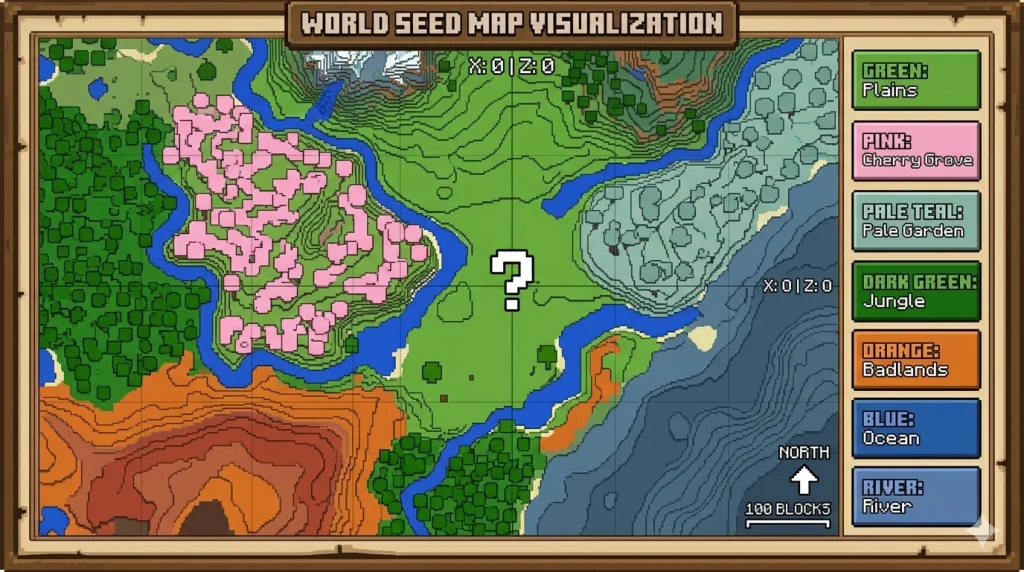
That is exactly why our Minecraft biome finder tool exists. You enter your seed, pick the biome you want, and the tool shows you the exact X and Z coordinates on a live map. No guessing. No wandering. You teleport straight there or simply walk in the right direction, knowing the destination is real.
How to Use the Minecraft Biome Finder
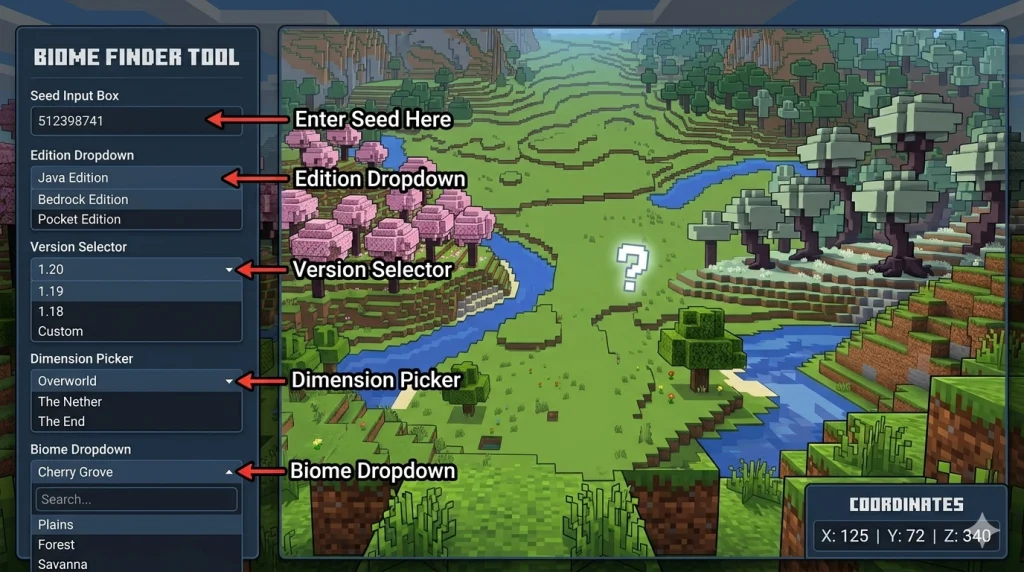
Getting started takes about thirty seconds. Here is the exact process:
Find your seed
Open your world in Minecraft and type /seed in the chat box. The game will show you a long number. Copy it. If you are playing on a server and cannot run commands, ask the server owner. You can also load a save file directly into the tool.
Select your edition
Pick Java or Bedrock from the dropdown menu. This step matters more than most players realize. The two editions generate biomes differently, so the coordinates will only be accurate if you choose the right one.
Choose your Minecraft version
Select the version that was active when you first created your world. If you have updated since then, use the version that generated the chunks you are looking at.
Set your dimension
Pick Overworld for most biomes. Switch to Nether if you are hunting for crimson forests or soul sand valleys. Use End for end cities.
Pick your biome from the list
Scroll through the dropdown or search for your target biome. Hit the locate button. The map will immediately highlight the nearest locations with coordinates.
Read the coordinates
Note the X and Z values shown on the map. Head there in-game by pressing F3 (Java) to see your live coordinates, or use the /teleport command if you have cheats enabled.
One thing worth knowing is if you started your world on an older version and then updated, use the older version setting in the tool for any chunks you have already explored. The newer version setting applies only to freshly generated chunks. Our Minecraft Seed Map gives you a complete visual overview of your entire world at once if you want to plan your journey before setting out.
What is the Cherry Blossom Biome in Minecraft
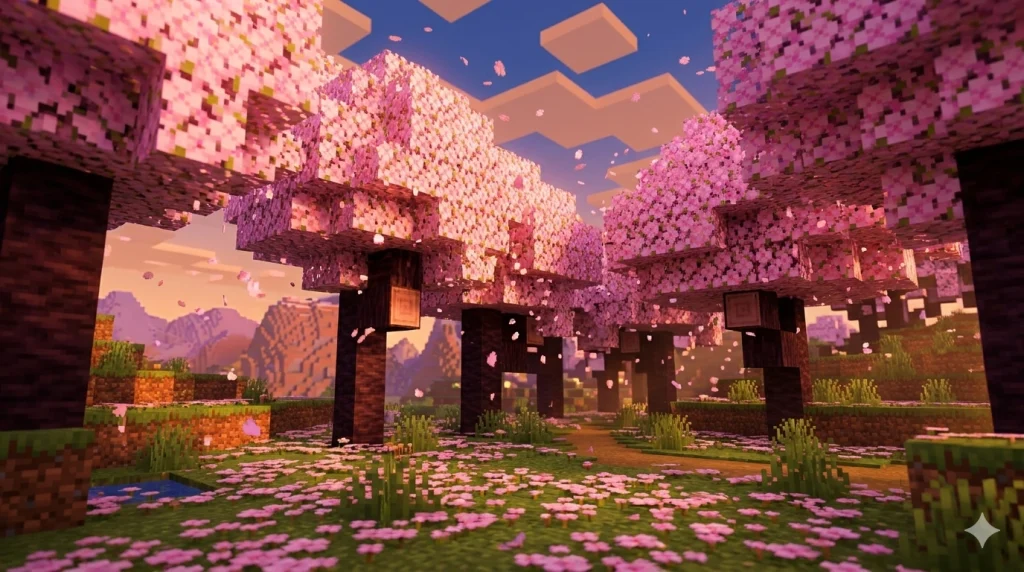
The cherry grove biome is one of the most searched biomes in Minecraft right now, and for good reason. It looks stunning. Pink petals fall constantly from blooming cherry trees. The ground is covered in pink petal blocks. The whole place has this soft, calm atmosphere that players want for building bases and screenshots.
How to Find the Cherry Grove Biome
The problem is that cherry grove biomes are rare and only generate in mountainous regions. You will not find one in plains or forests. The terrain has to be elevated, and even then, there is no guarantee that one is anywhere close to your spawn. Players who explore without a finder tool often never stumble across one at all.
The cherry grove was added in version 1.20 as part of the Trails and Tales update. It spawns on the slopes and peaks of mountain biomes, often tucked between jagged peaks and frozen terrain. Using the biome finder Minecraft tool makes the search completely trivial. Enter your seed, select Cherry Grove from the biome list, and the map pins every location in your world. You get the coordinates, and you go.
A few things to note about Cherry Grove in the tool: it is fully supported for the Java edition from version 1.20 onward. Bedrock support for Cherry Grove may vary depending on your version. Always double-check the edition setting before trusting the output coordinates.
What is the Pale Garden Biome in Minecraft
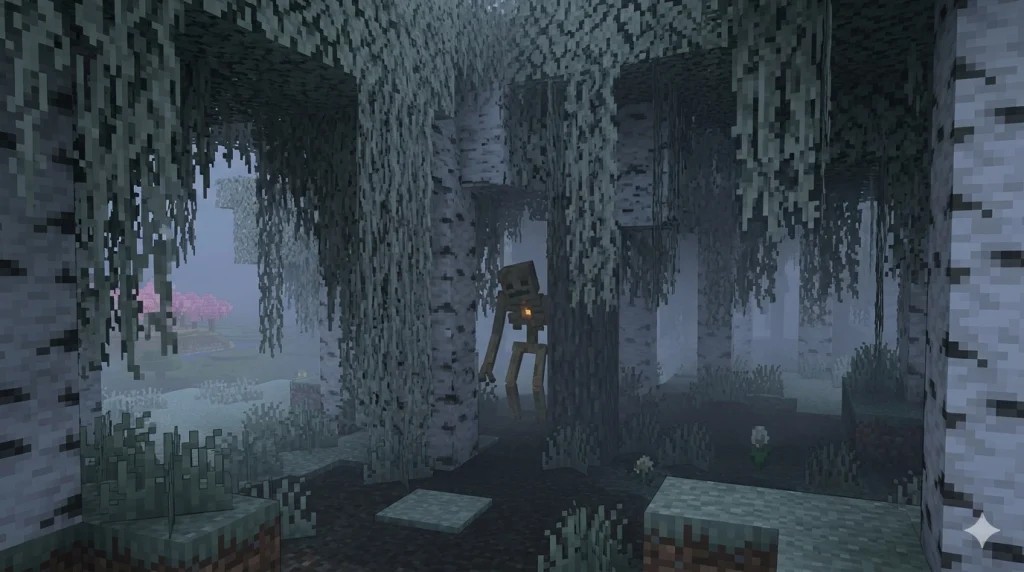
If the cherry grove is the cheerful end of the biome spectrum, the pale garden biome sits firmly at the other. It is eerie and unsettling. The trees are pale oak with white bark and desaturated leaves. The whole biome has a washed-out, foggy look. Pale hanging moss drapes from every branch. And at night, the Creaking mob spawns there. Walking into it for the first time genuinely feels different from any other biome in the game.
The Pale Garden biome Minecraft was introduced in version 1.21.4 as part of the Winter Drop update in late 2024. Like cherry groves, pale gardens are considered rare biomes. They do not border every biome type. They tend to appear alongside dark forests and other wooded terrain, but finding one without help requires serious exploration time.
How to Find the Pale Garden
To find the pale garden using the tool, make sure your version is set to 1.21.4 or higher. If you are running an earlier version, the biome simply does not exist in your seed and will not appear on the map. Once you have the right version selected, the tool pinpoints every pale garden location and gives you walking coordinates. You will also want to note that Creaking mobs only spawn at night inside pale oak trees, so visiting after dark is genuinely recommended for the full experience.
Pale garden is one of the newer additions and biome generation data continues to be refined in ongoing Minecraft updates. The tool reflects the most current known generation patterns as of the latest supported version.
Best Seeds for Every Biome in Minecraft 2026
Starting a fresh world and already know what biome you want nearby? These seeds were verified for the versions listed and give you rare biomes within a reasonable distance from spawn. Paste any of these directly into the tool above to preview the full map before loading in-game.
Seed Number | Notable Biome | Spawn Coordinates | Edition | Notes |
2980543205524870072 | Cherry Grove + Meadow | X: 120, Z: -340 | Java 1.21+ | Cherry grove, 300 blocks from spawn, mountain terrain |
7632474813256853247 | Pale Garden | X: -88, Z: 204 | Java 1.21.4+ | Pale garden biome within 500 blocks, Creaking spawns at night |
3257840071775390199 | Mushroom Island | X: 0, Z: 0 | Java 1.20+ | Rare mushroom fields island very close to the world spawn |
4837592016472819030 | Ice Spikes + Frozen Ocean | X: 200, Z: -150 | Java 1.20+ | Ice spike biome visible from spawn, frozen ocean nearby |
-1654510255290728653 | Mangrove Swamp | X: -300, Z: 88 | Java 1.19+ | Large mangrove swamp, warm ocean adjacent |
1234567890123456789 | Cherry Grove + Pale Garden | X: 450, Z: -220 | Java 1.21.4+ | Both rare biomes within 700 blocks on the same seed |
8472615903847261038 | Badlands + Mesa | X: -180, Z: 310 | Bedrock 1.21+ | Exposed badlands plateau, terracotta layers visible |
5519863748203156472 | Jungle + Bamboo | X: 80, Z: -420 | Bedrock 1.21+ | Dense jungle near spawn, bamboo forest attached |
Keep in mind that seeds are version-specific. A seed that generates a pale garden in 1.21.4 will not show that biome in an older version because the biome did not exist yet. Always match the seed to the correct version in the tool. For a full visual map of any seed above, use our Minecraft Seed Map tool to preview the entire world layout before committing to a new save.
Java vs Bedrock: Which Biome Finder Do You Need?
Java and Bedrock do not generate worlds identically. The underlying algorithms are different, which means the same seed will produce a completely different world in each edition. A cherry grove at X:120 on Java will not exist at X:120 on Bedrock using the same seed number. This is the single most common reason players come back frustrated saying the tool gave them wrong coordinates.
For Bedrock players looking specifically for a minecraft bedrock biome finder, the tool supports Bedrock edition across multiple versions including 1.19, 1.20, and 1.21. Some structures available on Java are not yet fully accurate on Bedrock. End cities on Bedrock have known limitations in detection accuracy. The tool will flag these cases so you know what to expect before you waste time searching.
Quick Edition Checklist
- Java players: make sure you are on the correct game version, not just the latest
- Bedrock players: use the Bedrock edition setting even if your seed number looks the same
- If your world does not match the map after double checking, check for active mods or behavior packs that alter world generation
- Mixed version worlds require switching the version selector to match the specific chunks you are exploring
All Biomes You Can Locate With This Tool
The biome finder covers a comprehensive list of biomes across all three dimensions. Whether you are hunting for something specific or just exploring what your seed has to offer, the find biomes minecraft tool has you covered.
Overworld Biomes
The full overworld list includes all forest variants, every ocean type from warm to frozen, mountain biomes, desert, jungle, savanna, and rare finds such as ice spikes, mushroom fields, and mangrove swamps. The rare biomes players hunt most in 2026 are:
- Cherry Grove: mountain biome, pink trees, 1.20+
- Pale Garden: rare wooded biome, eerie atmosphere, 1.21.4+
- Mushroom Fields: isolated island biome, mooshrooms spawn here
- Ice Spikes: frozen tundra variant, dramatic ice columns
- Mangrove Swamp: warm swamp variant, mangrove trees, 1.19+
- Flower Forest: dense forest with every flower type, great for builds.
Nether Biomes
Nether biomes are fully supported. If you are looking for a specific Nether biome for building or resource gathering, switch the dimension selector to Nether, and the seed biome finder will map every location. Available nether biomes include Crimson Forest, Warped Forest, Soul Sand Valley, Basalt Deltas, and Nether Wastes.
End Biomes
End support covers the main End island and End City locations for the Java edition. Bedrock End City detection has known accuracy limitations as mentioned above.
Finding Structures Near Your Target Biome
Biomes and structures go hand in hand. If you just found your deep, dark biome, the next thing you want is the ancient city hiding underneath it. If you are in a jungle, there might be a jungle temple a few hundred blocks away.
Once you have your biome coordinates, use our dedicated structure finders to complete the picture. The ancient city finder pinpoints every ancient city in your world. Found a plains biome near water? The village finder shows every village on the map so you can pick the closest one. Planning a nether trip? Run your seed through the nether fortress finder before you go.
Other tools in the suite cover the stronghold finder, slime finder, dungeon finder, mansion finder, and more. Each one runs on the same seed input, so you can plan an entire world session from a single starting point.
Frequently Asked Questions
How do I find my Minecraft seed?
Open your world and type /seed in the chat box. Minecraft will display a long number. That is your seed. Copy it and paste it into the biome finder tool. On servers where you do not have command access, ask the server owner or check the server configuration files.
Does the biome finder work for Minecraft Bedrock edition?
Yes. Select Bedrock from the edition dropdown before entering your seed. The tool supports Bedrock across versions 1.19, 1.20, and 1.21. Some structure detections have known limitations on Bedrock, but biome location is accurate for all supported versions.
How do I find the cherry blossom biome in Minecraft?
Enter your world seed into the biome finder, set your edition and version to 1.20 or above, select Cherry Grove from the biome dropdown, and hit locate. The map shows you every cherry grove in your world with X and Z coordinates.
What is the pale garden biome in Minecraft?
The pale garden is a rare biome added in Minecraft 1.21.4 as part of the Winter Drop update. It features pale oak trees with white bark, desaturated leaves, pale hanging moss, and a distinctly eerie atmosphere. The Creaking mob spawns inside pale oak trees at night.
Can I use the biome finder without an existing seed?
Yes. Click the Random button on the tool to generate a fresh seed. The map will display a complete world layout for that seed. You can also preview multiple random seeds before committing to one.
Why does the biome finder show a different location from what I see in my game?
The most common cause is selecting the wrong edition or version. Java and Bedrock generate biomes differently even with the same seed. The second most common cause is a trailing space in the seed input or a manually retyped seed with a digit error. Mods and data packs that modify world generation will also cause mismatches since the tool only works with unmodified vanilla generation.
Does the biome finder work for the Nether and End dimensions?
Yes. Switch the dimension selector to Nether or End before searching. Nether biomes are fully supported. End dimension support covers Java edition fully. Bedrock End City detection has known accuracy limitations.
What is the best seed for a cherry grove near spawn?
Seed 2980543205524870072 on Java 1.21 places a cherry grove approximately 300 blocks from spawn with mountain terrain.